AI Lecture Note Taker
Turn any lecture recording into clean, organized study notes with key concepts, definitions, and exam-ready materials — all in seconds.

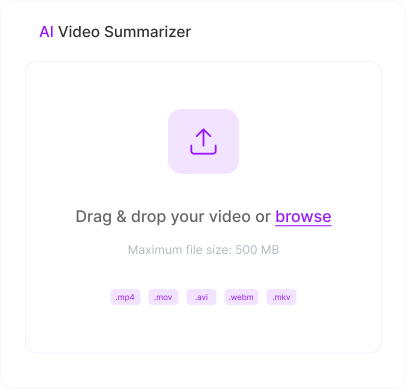
Drag & drop your lecture recording or slides or
Maximum file size: 100 MB
What Is an AI Lecture Note Taker?
An AI lecture note taker is a study tool powered by artificial intelligence that transforms any lecture recording into structured, easy-to-review notes automatically. Upload a recorded lecture, paste a YouTube link, or add lecture slides. The AI listens and reads, then extracts key concepts, definitions, formulas, and important details into organized study notes. Instead of frantically scribbling during class or rewatching hour-long recordings, you get automatic lecture notes in seconds.
How Does the AI Lecture Note Taker Work?
Upload Your Lecture
AI Extracts Key Concepts
Receive Study-Ready Notes Instantly
What Can You Summarize with Our AI Lecture Note Taker ?

Recorded Class Lectures
Upload in-person or virtual lecture recordings from any class. The AI captures every concept, definition, and example your professor covers — nothing gets missed.

Online Course Videos
Take notes on Coursera, edX, Khan Academy, or any online course video. Paste the link or upload the recording and get organized notes that follow the lesson structure.

Lecture Slides & Presentations
Upload PowerPoint or PDF lecture slides and get expanded notes that explain each slide's key points. Perfect when the slides are dense and you need context.

YouTube Educational Content
Paste any YouTube lecture or educational video link. The AI watches the entire video and produces structured notes covering all the major topics discussed.

Seminar & Guest Speaker Recordings
Capture insights from guest lectures, seminars, and panel discussions. Get organized notes even when multiple speakers cover different topics.

Textbook Chapters & Reading Assignments
Upload textbook PDFs or reading materials and get study notes that extract key arguments, concepts, and supporting evidence. Stop re-reading — start reviewing.
Why Use Our AI Lecture Note Taker?
Built for How Students Actually Study
Effective AI note taking for students shouldn't just transcribe — it organizes content into study-ready notes with clear headings, key concepts, and important details.

Capture Every Concept, Every Time
Your professor speaks at 150 words per minute. You write at 30. The AI closes that gap by processing the full lecture and extracting everything important — no concepts left behind.

Works with Any Lecture Format
Audio recordings, video files, YouTube links, PDFs, PowerPoint slides — upload any format and get the same high-quality structured notes. One tool for every class.
Generate More Than Just Notes
Mindgrasp goes beyond note-taking. From the same lecture, generate flashcards for memorization, quizzes for self-testing, and use the AI tutor to ask follow-up questions.

Study Anywhere, Anytime
Access your AI lecture notes on any device. Record lectures on your phone with the iOS app, use the Chrome extension to pull content from Canvas or Blackboard.

100% Free with No Sign-Up
Access our AI lecture note taker for free with no hidden charges, no word limits, and no account required. Take notes on as many lectures as you need throughout the semester.
Who Can Benefit from the AI Lecture Note Taker?
College & University Students
Turn every lecture into organized, reviewable study notes. Spend less time writing and more time understanding — then use the same notes for exam prep with flashcards and quizzes.
High School Students
Keep up with fast-paced classes without stressing about missing details. Upload class recordings or slides and get complete notes to study from.
Graduate & Medical Students
Handle dense, complex lecture content across multiple courses. The AI extracts key concepts and details from even the most information-heavy lectures.
Online Learners & MOOC Students
Take structured notes on Coursera, edX, Udemy, and other online course platforms. Never let valuable lesson content go unrecorded.
Students with Learning Differences
Focus entirely on listening and understanding during class. The AI ensures complete, structured notes are available afterward — supporting accessibility and equal learning opportunities.
Tutors & Teaching Assistants
Create study materials from lecture content to share with students. Generate notes, summaries, and review materials from any recorded class session.
Study anywhere with the Mindgrasp
Record lectures on your phone. Use the Chrome extension to pull content directly from Canvas, Blackboard, or any website. Mindgrasp works wherever you do.
 Download iOS App
 Download Chrome Extension


Frequently Asked Questions
Everything you need to know about the product and billing.

 What types of lectures can the AI note taker handle?
Our AI lecture note taker works with any lecture format — audio recordings (MP3, WAV, M4A), video files (MP4, MOV, WebM), YouTube links, lecture slides (PPTX, PDF), and text-based materials. Whether it's an in-person recording, an online class, or a set of slides, the AI processes it and generates structured study notes.
Is this really a free AI lecture note taker?
Yes. Our AI note taking app for students allows you to use the tool completely free with no sign-up required, no hidden fees, and no limits on the number of lectures you process. Students can use it throughout the entire semester at zero cost.
Can I use this as an AI note taker for online classes?
Absolutely. Upload recordings from Zoom, Google Meet, or Teams lectures, paste YouTube or Panopto links, or use the Chrome extension to pull content directly from Canvas or Blackboard. It works with any online learning platform.
How is this different from a regular transcription tool?
Transcription tools give you a raw word-for-word transcript. Our AI goes further — it identifies key concepts, organizes content by topic, removes filler, and produces automatic lecture notes. You get notes ready for review, not a wall of text to sort through.
Can the AI generate flashcards and quizzes from my lecture notes?
Yes. After generating notes from your lecture, Mindgrasp can also create flashcards for memorization, quizzes for self-testing, and provide an AI tutor you can ask follow-up questions about the lecture content.
Does it work with lecture slides that have no audio?
Yes. Upload PowerPoint (PPTX) or PDF files directly, and the AI will read the slide content and generate expanded notes explaining each slide's key points, concepts, and takeaways.
How is this different from the AI Meeting Note Taker or AI Audio Note Taker?
The AI Lecture Note Taker is built specifically for academic content — it prioritizes concepts, definitions, formulas, and study-relevant information. The AI Meeting Note Taker focuses on extracting decisions and action items from professional meetings. The AI Audio Note Taker handles any audio source (podcasts, voice memos, interviews) with a general-purpose approach. All three share the same core AI, but each one optimizes for its content type.
Your next study session can be smarter.
Turn lectures, readings, and links into a complete AI study system in minutes.
Create Free Study Session